Start by selecting the occasion (Birthday, Mother's Day, Valentine's, etc.) and pick a visual theme. Each theme has unique animations, color palettes, and particle effects. You'll see a live preview of the card on the right as you browse.
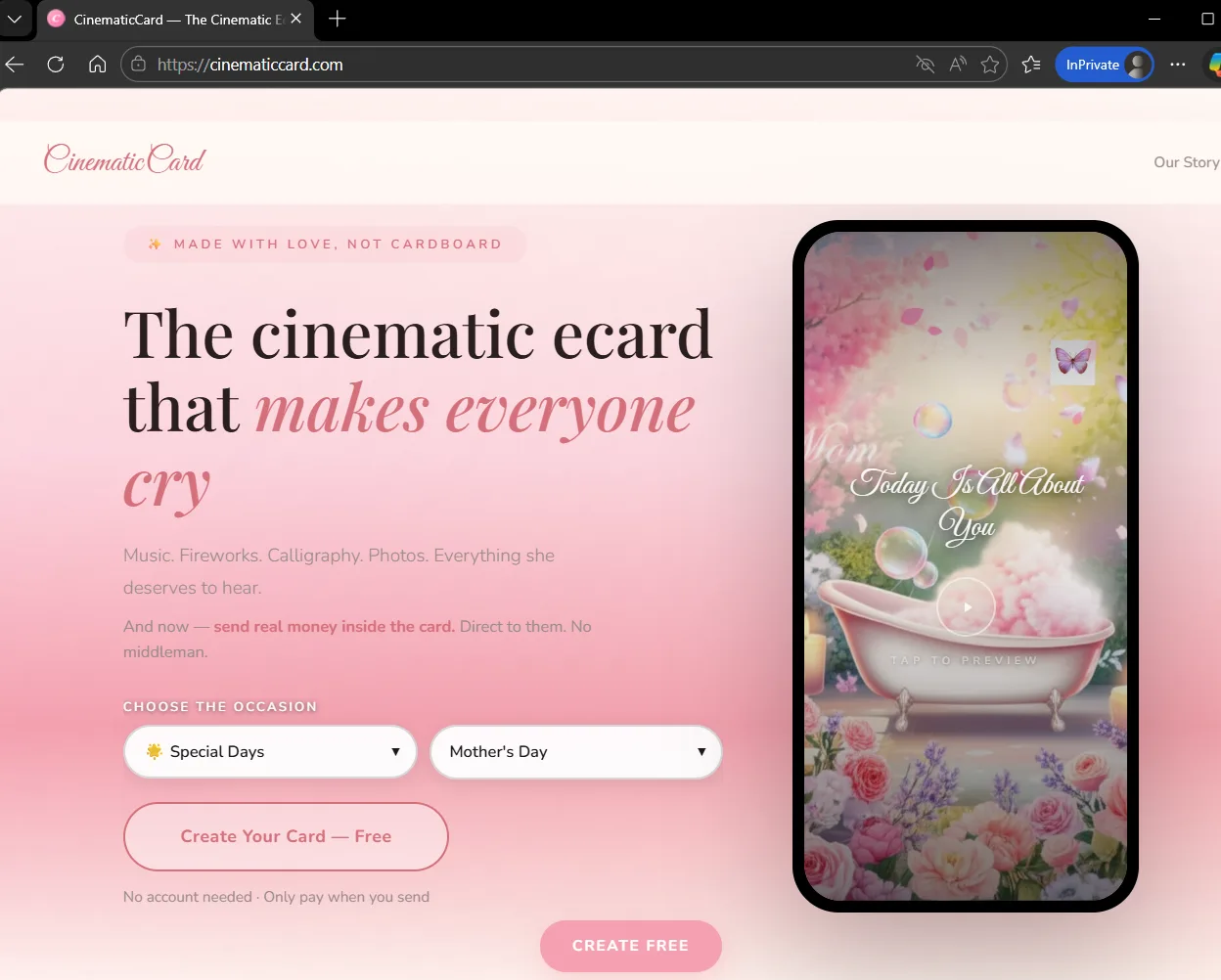
Landing page: Pick from Special Days, Valentine's, Birthday, Mother's Day, and more. The phone preview updates instantly as you browse themes.
Tips
- Each occasion has multiple theme variations — scroll through to find the perfect vibe
- You can always change the theme later without losing your text
- Click "Create Your Card Free" to start filling in details
Enter the opening title, recipient's name, your personal message, sign-off, and your name. Choose the background music that sets the perfect mood. The card preview updates live on the right as you type.
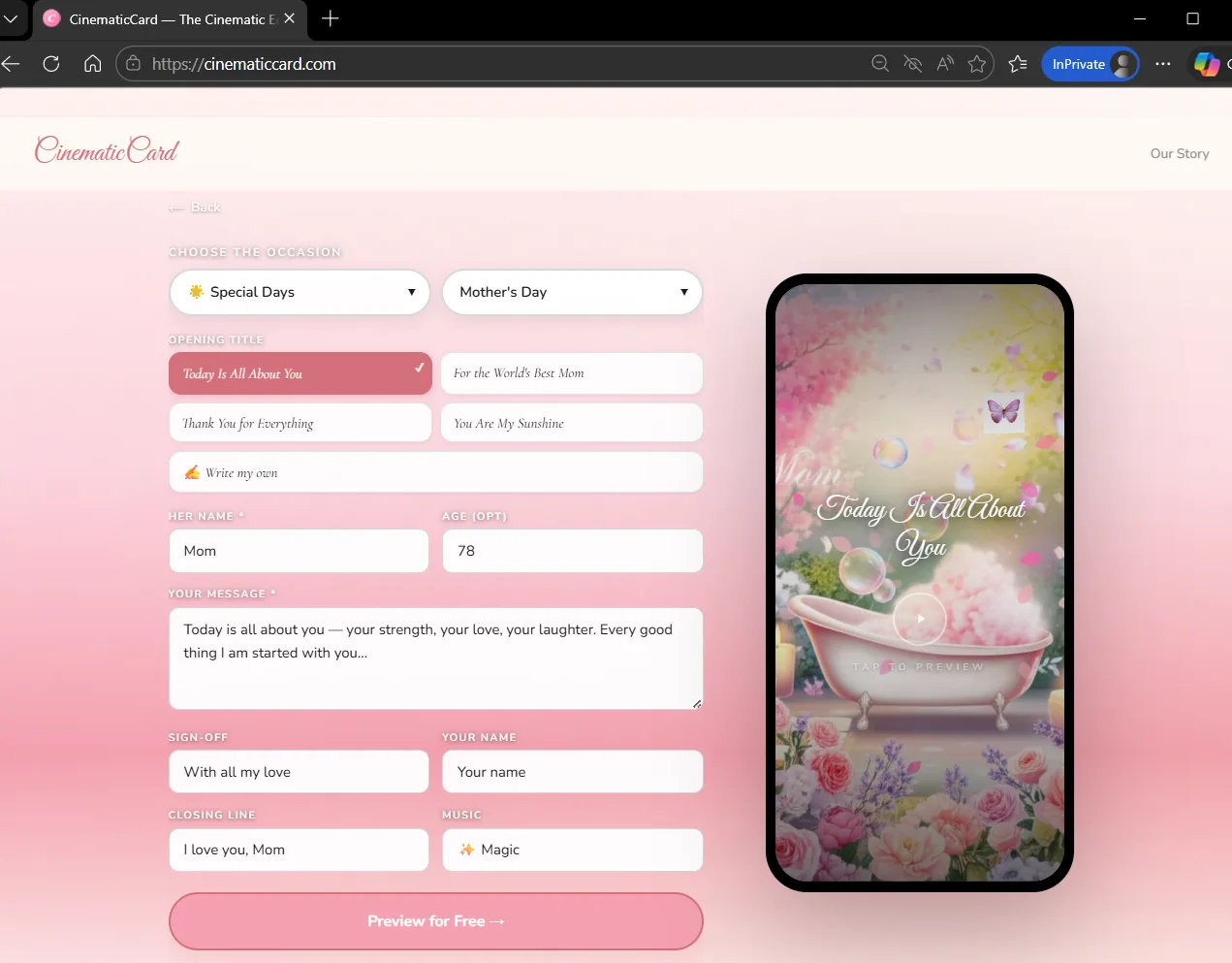
Builder form: Choose your occasion and variation, write your opening title, message, sign-off, and pick the music. Everything updates in real-time on the card preview.
Tips
- The opening title can be customized — choose from presets or write your own
- Your message supports line breaks — press Enter to create paragraphs
- Try different music options — each one changes the mood entirely
- Click "Preview for Free" at the bottom when you're ready to see the full experience
See exactly what the recipient will see — the full-screen cinematic card with music, animated calligraphy, floating particles, and fireworks. This is a free preview — you don't pay anything yet.
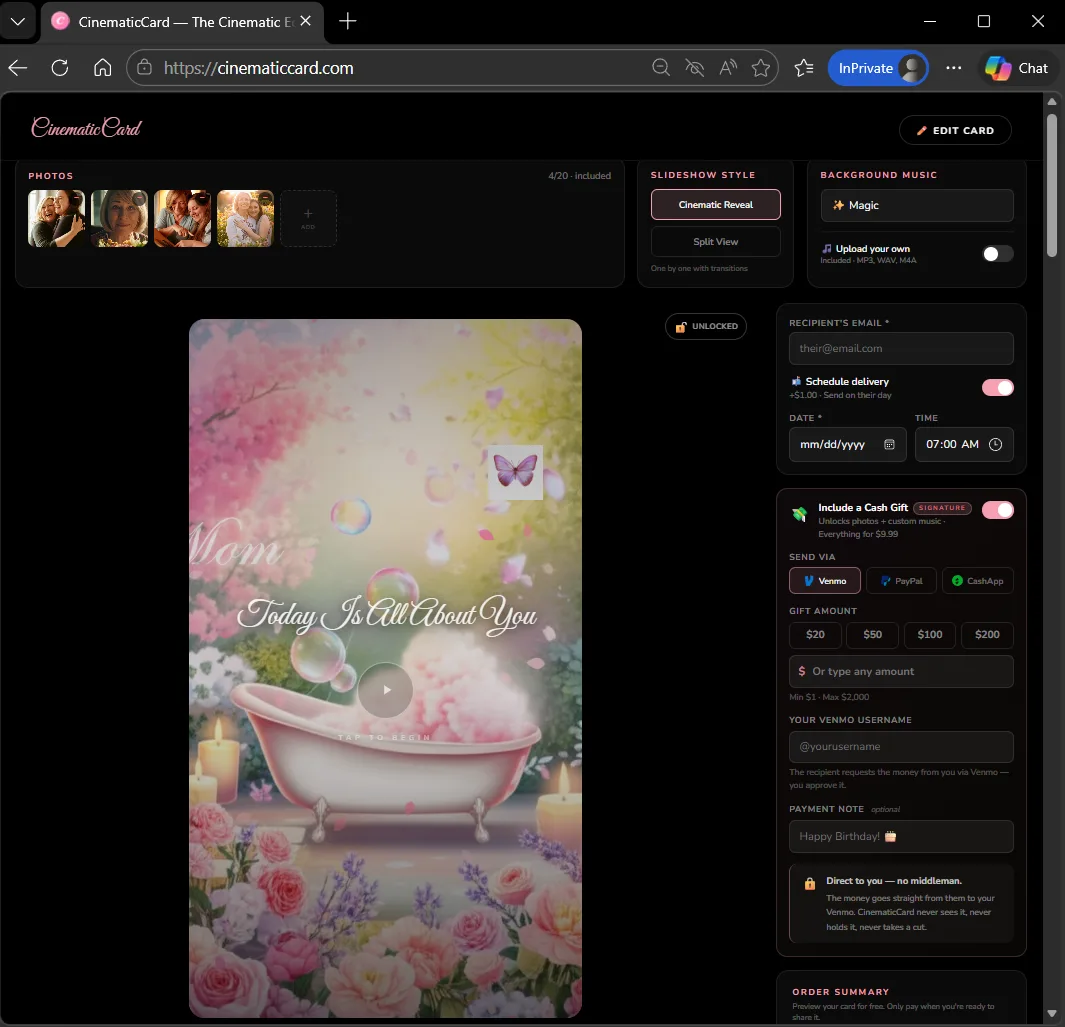
Full preview: The cinematic card plays with music, animated calligraphy, and particle effects. On the right, you can see the checkout panel with pricing and card details.
Tips
- Make sure your sound is on to hear the music
- Click "Edit Card" in the top right to go back and make changes
- The preview is exactly what the recipient will see — take your time to review
Add up to 20 photos for a cinematic slideshow, upload your own music, set a scheduled delivery date, and optionally include a cash gift via Venmo, PayPal, or CashApp. The order summary updates in real-time as you add features.
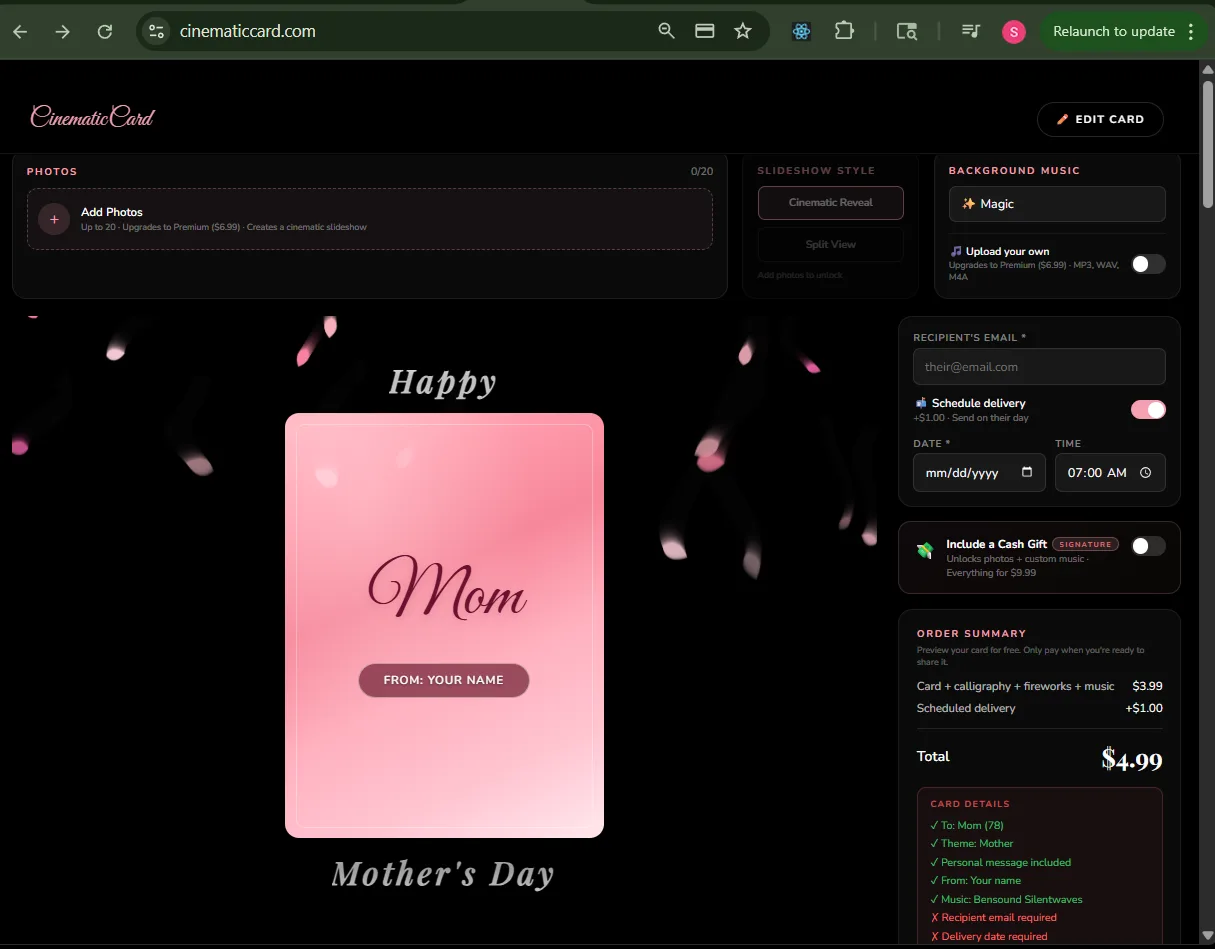
Customize panel: Add photos ($3), upload your own music ($3), schedule delivery ($1), or include a cash gift (Signature tier $9.99). Enter the recipient's email for automatic delivery.
Tips
- Photos create a cinematic slideshow with Ken Burns effect and smooth transitions
- Upload MP3 or MP4 files for custom music — your song will play throughout the card
- Schedule delivery to send on a specific date and time — perfect for birthdays and holidays
- The cash gift feature lets the recipient claim money via their preferred payment app
Once you've added photos, the card transforms with a cinematic slideshow. Your photos are displayed with smooth transitions, film-grade color treatment, and cinematic motion effects.
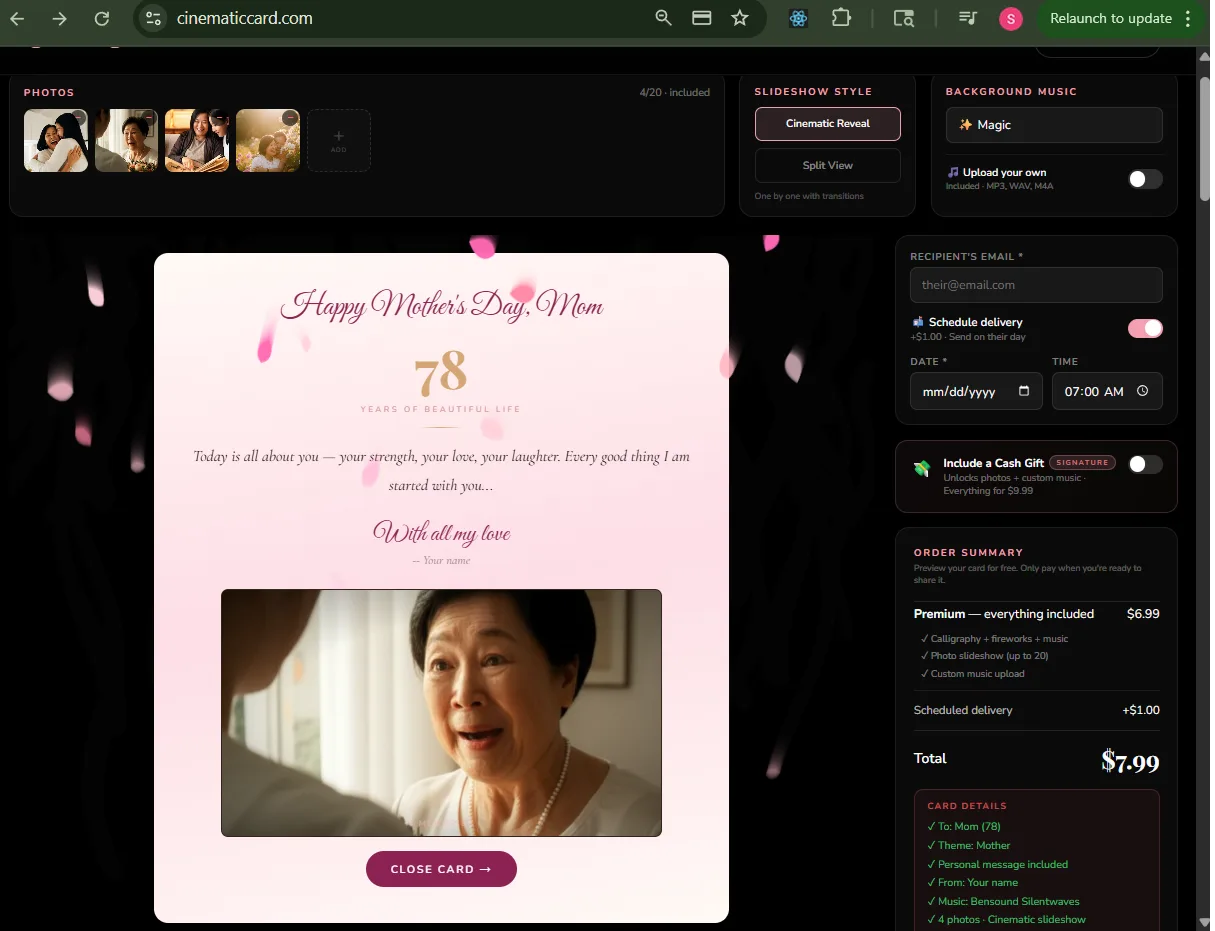
Photo slideshow: Your photos become a cinematic slideshow with Ken Burns motion, smooth crossfades, and film-grade treatment. The message and calligraphy overlay beautifully.
When you're happy with everything, lock and seal your card. Complete the payment through our secure Stripe checkout. Your card is generated and sealed with a wax seal animation.
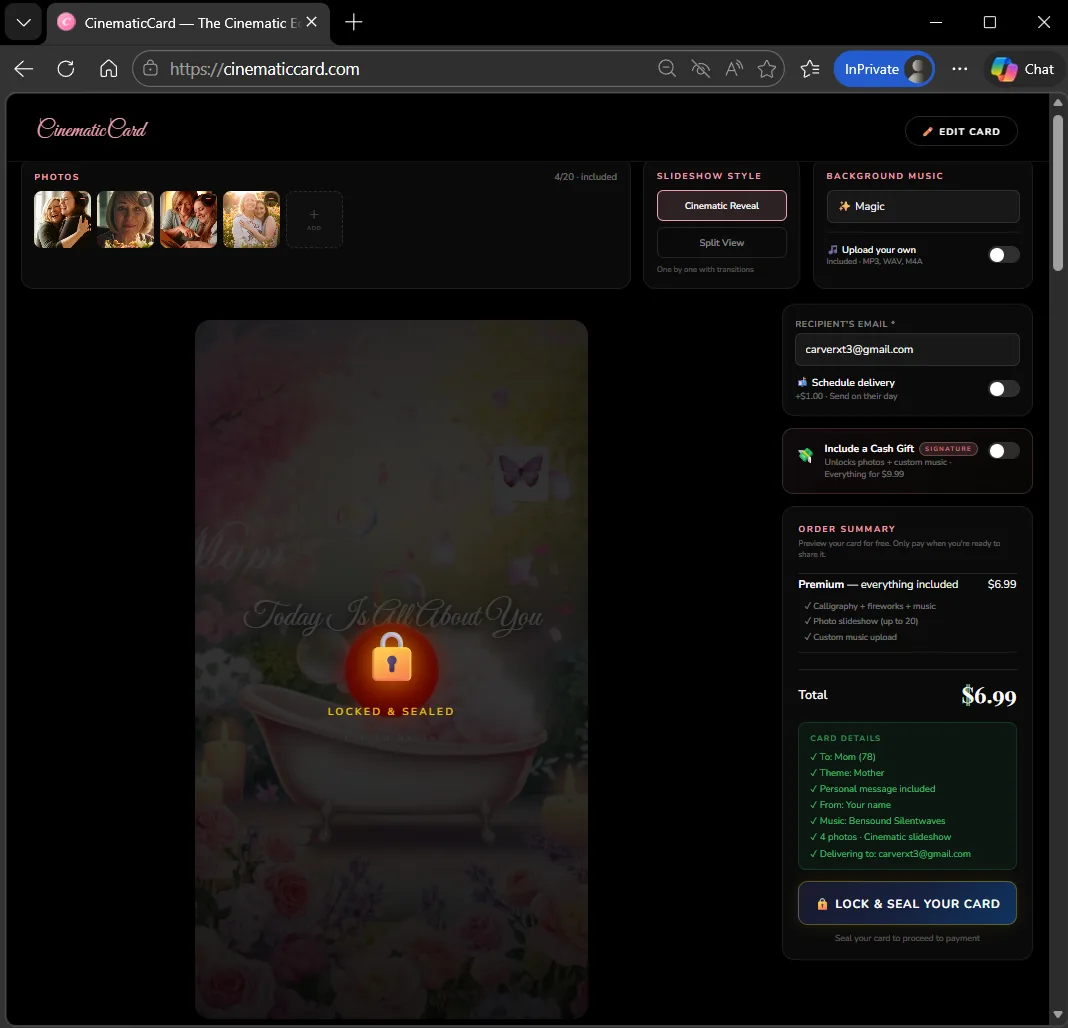
Lock & Seal: Your card is sealed with a cinematic wax seal animation. The order summary shows the final price with all your add-ons. Payment is processed securely through Stripe.
After payment, your card is generated and sent. You'll see a beautiful envelope animation while the card is being prepared and delivered to the recipient's email.
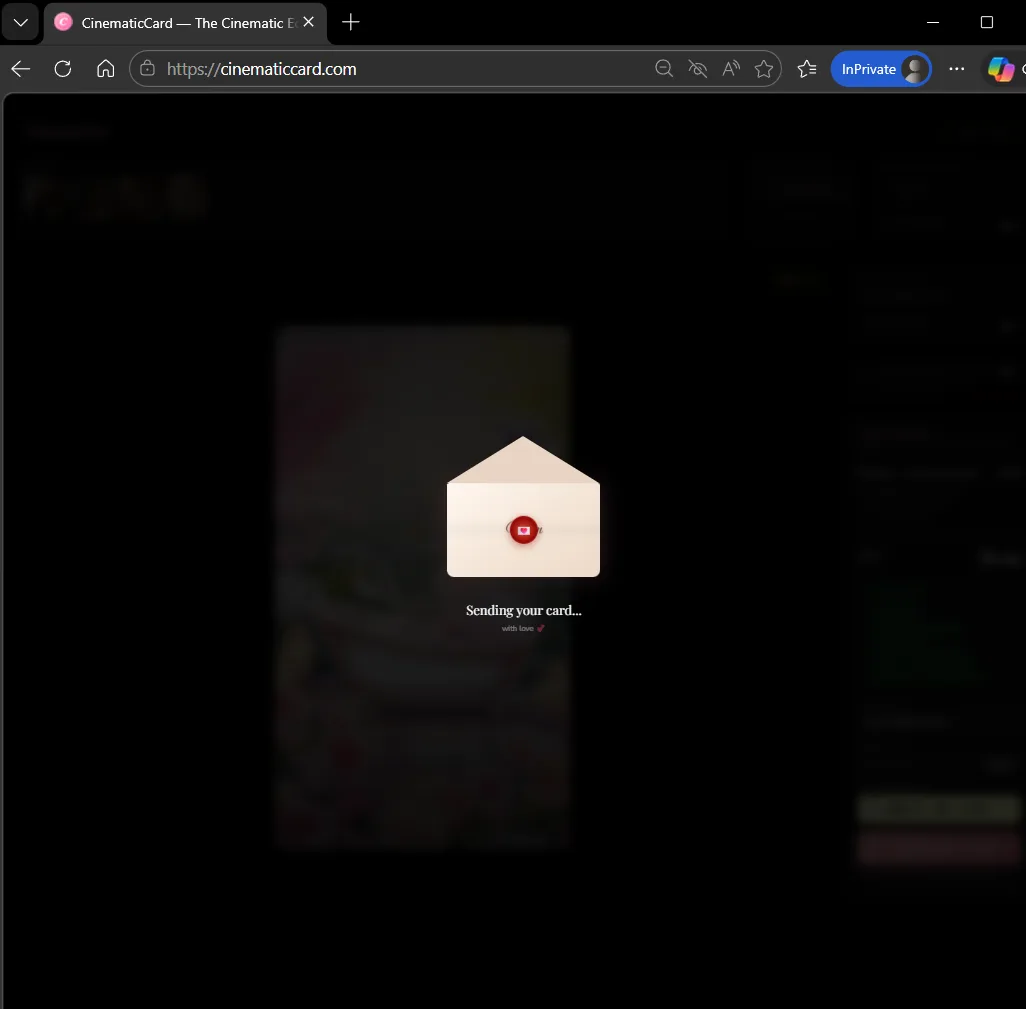
Sending: A cinematic envelope animation plays while your card is being generated and the delivery email is sent to the recipient.
Your card is ready! You get a unique link you can copy and share via text, WhatsApp, DM, or anywhere. The recipient also gets an email with the link. The card never expires — they can watch it forever.
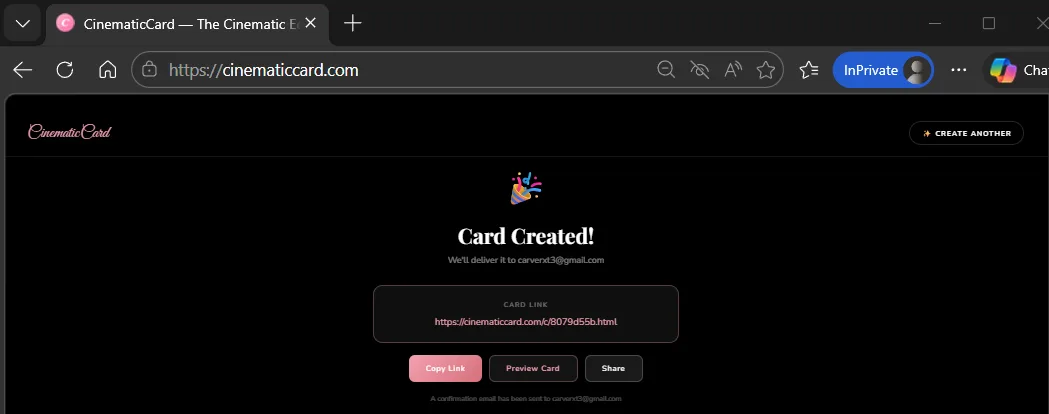
Card Created! Copy the unique link, preview the card, or share it directly. A confirmation email is also sent to you with the link. The card lives forever at this URL.
Tips
- Copy the link and send it via text message for the best surprise effect
- If you scheduled delivery, the email will be sent automatically on the date you chose
- Click "Preview Card" to see it one more time before sharing
- Click "Create Another" to make another card for someone else
Sending Bulk Cards & Invitations
Perfect for corporate events, holiday greetings, wedding thank-yous, team appreciation, or any occasion where you need to send the same beautiful card to many people — each one personalized with their name.
1
Create Your Card
Build your card as usual — pick the theme, write your message, add photos and music. This will be the card everyone receives, personalized with each person's name.
2
Enable Bulk Send
In the checkout panel, check "Send to multiple people" below the recipient email field. This switches to bulk mode where you can upload your list.
3
Upload Your List
Drag and drop a CSV, Excel (.xlsx), or text file with your recipients. We auto-detect name and email columns. You can also download a template to get started.
4
Map Your Columns
We'll show you the detected columns with sample data. Map each column to "Name", "Email", or skip it. This ensures we pull the right data from your spreadsheet.
5
Review & Fix
See your full recipient list with validation. Valid emails show green, invalid ones can be edited inline. You can upload more recipients or clear the list and start over.
6
Send to Everyone
Pay once and every recipient gets their own personalized card delivered to their email. Each card has the recipient's name in the calligraphy and greeting.
Volume Pricing
Full tiers: 25 @ $7.99 • 50 @ $6.99 • 100 @ $5.99 • 250 @ $4.99 • 500+ @ $3.99 per card.
One card design, personalized for every recipient. Includes all features — calligraphy, fireworks, music, photos, and delivery emails. Every recipient gets their own unique link that never expires.
Supported File Formats
CSV (.csv)
Comma-separated values. Most spreadsheet apps can export to CSV.
Excel (.xlsx, .xls)
Microsoft Excel and Google Sheets format. We read the first sheet.
Text (.txt)
Tab or comma separated plain text files.
Your file needs at least two columns: one for names and one for email addresses. We'll auto-detect them and let you confirm before importing.
Common Use Cases
🏢
Corporate Holiday Cards
Send personalized holiday cards to your entire team or client list. Each person gets a card with their name.
💒
Wedding Thank-Yous
Upload your guest list and send a beautiful thank-you card with photos from the wedding to every guest.
🎉
Event Invitations
Birthday parties, baby showers, graduations — send cinematic invitations that make people excited to attend.
💪
Team Appreciation
Recognize your team with personalized cards for milestones, achievements, or just to say thanks.