You have 20 photos of your best friend on your phone. You have a song that's been "your song" since college. You want to put them together into something beautiful for her birthday. And you have roughly the design skills of a golden retriever.
Here's the thing nobody tells you: you don't need design skills. You don't need an app. You don't need a Canva subscription or a YouTube tutorial on video editing. Once you've picked the photos, you need less than a minute and a platform that does the heavy lifting for you.
[VIDEO:7FWQd8r6ASE]
Why Most Ecards With Photos Feel... Flat
You've probably tried this before. You go to an ecard site, pick a design, and add a photo or two to it. It can look lovely — but the design is the starting point, and your photos have to fit around it.
The problem isn't the concept — combining photos and music in a greeting card is a great idea. The problem is that most platforms treat photos as decoration. A frame around an image. A slideshow with crossfades that feels like a PowerPoint from 2008.
What you actually want is your photos woven into an experience. Music that plays from the first second. Transitions that feel cinematic, not clippy. Your words appearing at the right moment, not dumped in a text box underneath.
Enter CinematicCard
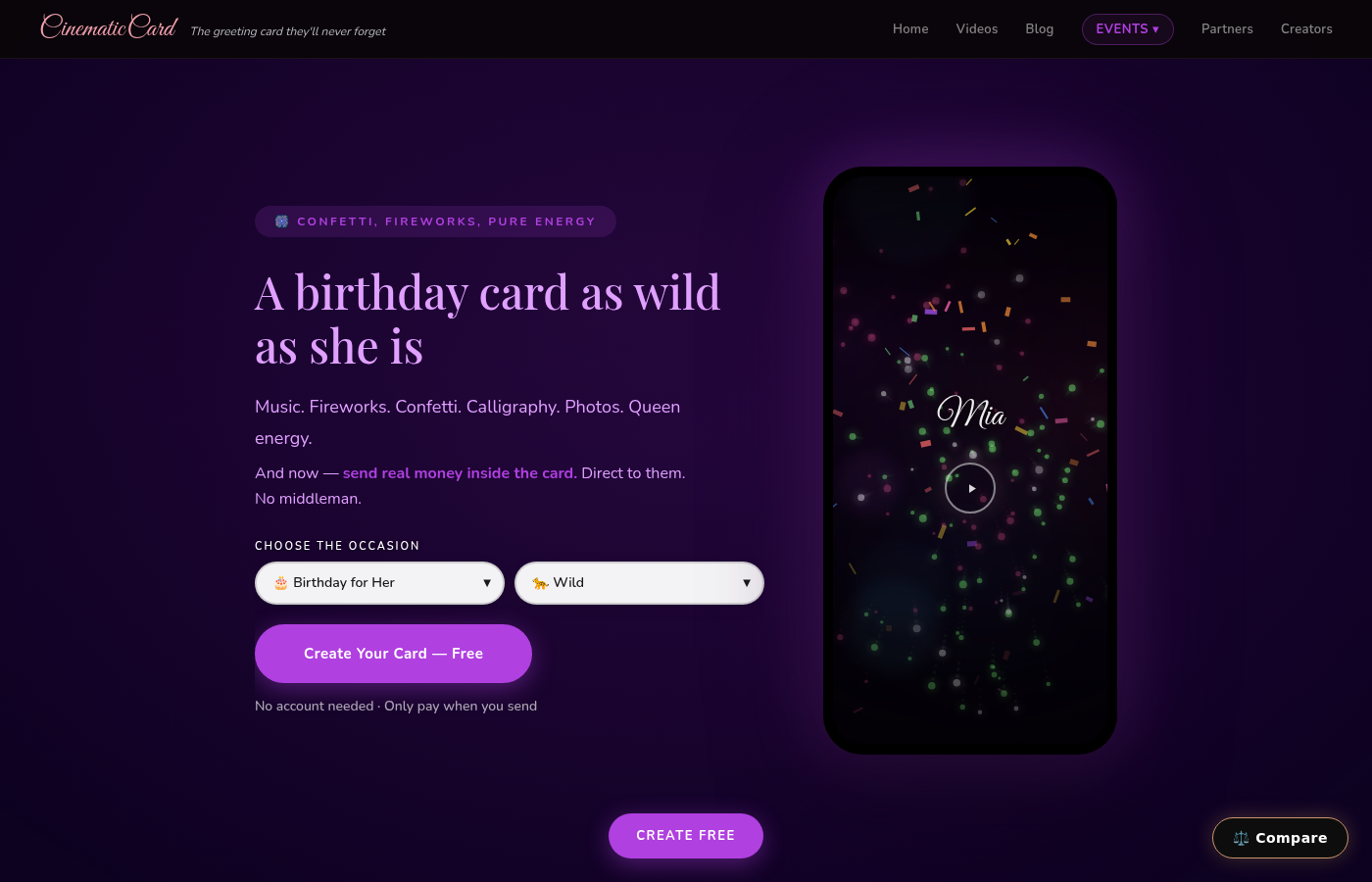
CinematicCard was built specifically for this. When you upload photos, they don't sit in a frame — they become part of a short cinematic film. They open a link, music starts playing, their name writes itself in calligraphy, fireworks explode, your message reveals word by word, and then your photos play as a full-screen cinematic slideshow with smooth transitions and visual effects.
It looks like you hired a videographer. Once you'd chosen the photos, it took you less than a minute.

How to Make Your Photo & Music Ecard: Step by Step
1. Pick Your Occasion
Head to CinematicCard and choose your occasion — birthday, anniversary, Mother's Day, Valentine's, graduation, whatever you're celebrating. Each occasion has themes with different visual styles.
2. Add Their Name
Type their name. That's it. CinematicCard animates it in elegant calligraphy as part of the opening sequence. Watching your own name write itself across the screen while music plays? That's often the moment it starts to feel emotional.
3. Write Your Message
Your message can be as long or short as you want. It won't sit in a text box — it reveals word by word with cinematic timing. This means even a simple "I love you more than you know" hits differently because each word appears with intention.
Pro tip: write like you're talking to them. Not like you're writing a greeting card. The cinematic delivery makes even casual words feel profound.
4. Upload Your Photos (Up to 20)
This is where the magic happens. Drag and drop up to 20 photos from your camera roll. CinematicCard arranges them into a cinematic slideshow with smooth transitions, zoom effects, and timing synced to the music.
What photos work best?
- Mix close-ups and wide shots
- Include photos from different time periods (throwbacks hit hard)
- Candid moments over posed photos
- Group shots mixed with one-on-one shots
- That embarrassing photo from 2014 that you've been saving for exactly this moment
You can reorder them by dragging, so put the most emotional ones near the end for maximum impact.
5. Choose Your Music (Or Upload Your Own)
Here's where the card becomes truly yours. You have three options:
Built-in soundtrack: Keep the soundtrack chosen for your theme.
Upload your own song: Have a song that means something to you and them? Upload the WAV, MP3 or MP4. Your card now plays your song. This single feature turns a great card into a devastatingly personal one.
Upload a voice recording: Record yourself saying something on your phone, then upload it. Your actual voice, playing as they watch their photos. If you want to leave someone completely speechless, this is how you do it.

6. Preview the Whole Thing (For Free)
Before you pay anything, you can watch the entire experience exactly as they will see it. Start to finish. Music, calligraphy, fireworks, message, photos, everything.
Don't like the song choice? Swap it. Want to reorder the photos? Drag them around. Think your message needs one more line? Add it. Preview again. Repeat until you get goosebumps watching your own card.
You can build and preview as many times as you want without entering payment info. This is huge — you're never guessing what the final product looks like.
7. Pay and Send
Happy with it? Your first CinematicCard is free — the complete card, sent. After that, the Premium tier (photos + your own audio) is $6.99. You get a unique link that you can text, email, DM, or paste anywhere. No app required on either end. They tap the link and the film plays instantly.
Photos + Music + Voice: The Trifecta
The combination most people don't think of: upload a voice recording AND photos. Imagine your mom opening a Mother's Day card where she hears your voice saying "Mom, thank you for everything" while photos of your life together play across her screen.
That's not an ecard. That's a core memory.
How This Compares to Alternatives
| Feature | CinematicCard | Hallmark eCards | Paperless Post |
|---|---|---|---|
| Starting point | Your memories: photos, your words, your music or voice | A Hallmark design you personalize with photos and a message | A Card or Flyer design from its collection, or one you upload |
| Your photos | Up to 20, played as a cinematic slideshow | Upload photos to an eCard design | Upload your own design image; add a video section (paid) |
| Sound | Built-in soundtrack, or your own song or voice recording (WAV, MP3 or MP4) | Not described in the help articles we checked | An optional video block with sound (paid) |
| Pricing | First card free; then $3.99 - $9.99 per card, no subscription | One free eCard a month with Crown Rewards; unlimited with Hallmark+ ($8.99/month or $79.99/year) | Free designs for up to 50 people; paid designs 2–8 Coins per person |
| Delivery | Link or email, sent now or scheduled; no account needed | eCards by email; join Crown Rewards or sign in to send | Email, text (US/Canada) or shareable link; scheduling |
Canva is a design platform, so there you design the card yourself. The real difference is the starting point: a traditional ecard starts with a design you choose and then personalize, while a CinematicCard starts with your memories and plays your photos and music together automatically. For more detail, see our side-by-side Hallmark comparison.
Ideas That Hit Hard
Need inspiration? Here are photo + music combos that can make people lose it:
- For Mom's birthday: Childhood photos of you → photos of her → photos of you together now. Song: anything she sang to you as a kid.
- For your partner's anniversary: First date → wedding → vacations → yesterday. Song: your first dance song.
- For a friend: The dumbest, most chaotic photos you have together. Song: whatever was playing during that one trip you still talk about.
- For Dad on Father's Day: Him teaching you things → you doing those things as an adult. Voice recording: "Thanks for showing me how, Dad."
- For a graduation: Kindergarten through cap and gown. Song: something triumphant.
The Less-Than-a-Minute Promise
The hardest part is choosing the memories. Once you have them, creating the card takes less than a minute: type a name, write a few sentences, drag in your photos, and pick a song. The platform handles all the animation, timing, transitions, and production.
It will feel like it was made just for them — because it was. That's the whole point.
Create your photo & music ecard now — your first card is free, and previewing is always free.