Birthday Card with Voice Recording: Step-by-Step
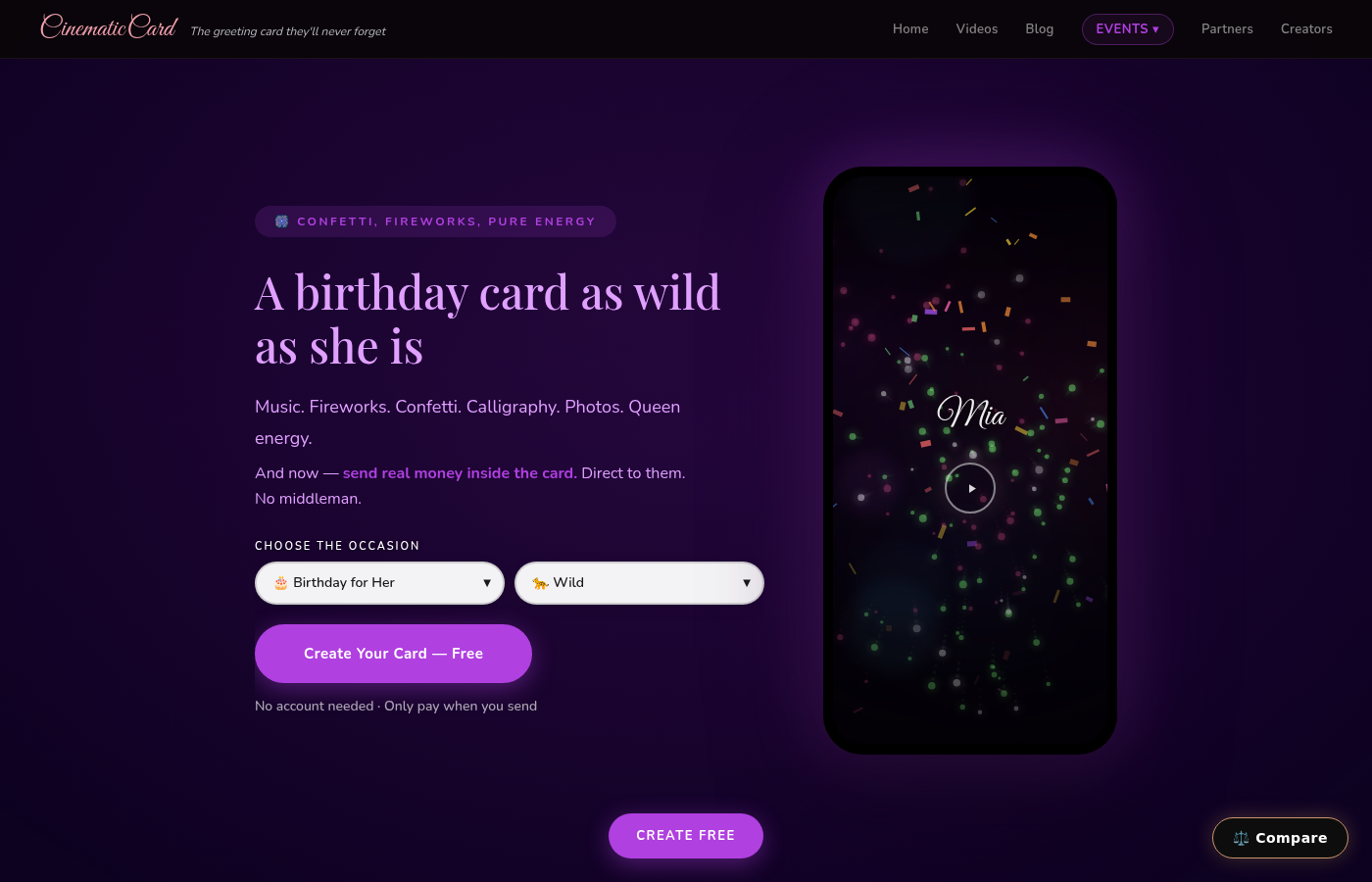
Your mom's 80th birthday is coming up, and you want to do something more meaningful than clicking "order" on a generic Hallmark card. What if instead of reading your birthday wishes, she could actually hear your voice -- your laugh, your "Happy Birthday, Mom!" -- playing as her name writes itself in elegant calligraphy across the screen?
Creating a birthday card with your own voice recording isn't just possible anymore -- it's surprisingly simple. And the emotional impact? Let's just say you might want to have tissues ready when she opens it.
Why Voice Messages Make Birthday Cards Unforgettable
Think about the birthday cards sitting in your junk drawer right now. They all blur together, don't they? Generic messages, stock photos, maybe a twenty-dollar bill tucked inside. But a voice recording transforms that experience completely.
When someone hears your actual voice wishing them happy birthday -- not reading it, but hearing it -- something magical happens. Your voice carries emotions that text never could. Your slight nervousness recording the message, your genuine excitement, even that little laugh when you mess up and start over. These imperfections make it real.
One customer told us her grandmother played her birthday card with voice recording seventeen times in the first day. Seventeen times. Because hearing her granddaughter's voice felt like having her right there in the room, even though they lived three states apart.
How to Create a Birthday Card Voice Recording in 5 Simple Steps
Creating your own birthday card with voice recording is easier than you think. Here's exactly how to do it:
Step 1: Choose Your Recording Method
You don't need fancy equipment. Your smartphone's voice memo app works perfectly. Most people overthink this part -- your natural voice is exactly what your loved one wants to hear.
Open your phone's voice recorder (Voice Memos on iPhone, Voice Recorder on Android) and test the audio levels. Hold the phone about 6 inches from your mouth. Find a quiet room -- background noise is more distracting than you realize.
Step 2: Plan Your Voice Message (But Don't Over-Script It)
Here's where people make their biggest mistake: writing out every word like a teleprompter. Don't do this. Your voice message card should sound like you, not like you're reading a corporate announcement.
Instead, jot down 3-4 bullet points:
- Happy birthday + their name
- One specific memory or thing you love about them
- Your birthday wish for them
- Sign off ("Love you, Mom" or whatever feels natural)
Keep it under 60 seconds. Longer feels like a voicemail; shorter feels rushed. About 45 seconds hits the sweet spot.

Step 3: Record in One Take (Imperfections Are Perfect)
This might sound counterintuitive, but don't aim for perfection. If you stumble slightly or laugh at yourself, keep going. These moments make your voice recording feel authentic rather than produced.
Take a deep breath, smile (people can hear smiles in voices), and hit record. Speak like you're talking to them in person, not performing for an audience.
Step 4: Upload to Your Birthday Card
Now comes the fun part. Head to CinematicCard and select your birthday card theme. The "Birthday For Her" theme opens with golden confetti bursts and pink celebration colors, while "Birthday For Him" features dramatic blue and gold fireworks against a navy background.
Choose the Signature tier ($9.99) -- this is the only tier that includes voice upload capability. You'll see an audio upload section where you can add your recording directly from your phone or computer.
Step 5: Add Photos and Personal Touches
While your voice recording is the star, don't skip the visual elements. Add up to 20 photos that will play in a cinematic slideshow. Choose images that tell a story -- childhood memories, recent adventures, silly moments together.
Write a personal message that complements your voice recording rather than repeating it. If your voice message focuses on memories, your text message could focus on future wishes.
Common Voice Recording Mistakes to Avoid
Recording in a echoey bathroom. Hard surfaces bounce sound around. Choose a carpeted room or sit on your bed while recording.
Holding the phone too close or too far. Six inches from your mouth is the sweet spot. Closer sounds muffled; farther sounds distant.
Apologizing for your voice. "Sorry, I hate how I sound..." Stop right there. They love your voice because it's yours.
Making it too long. A 3-minute voice message feels like work to listen to. Keep it conversational and concise.
Over-editing yourself. If you say "um" or pause to think, that's human. Leave it in.
What Makes CinematicCard's Voice Feature Different
Most digital birthday cards just slap an audio player onto a static image. You get a generic photo with a play button -- basically a glorified email attachment.
CinematicCard weaves your voice recording into an actual cinematic experience. Your voice plays as their name writes itself in beautiful calligraphy, stroke by stroke. Fireworks explode across the screen in perfect synchronization. Your photos fade in and out like a movie montage.
The timing is choreographed so your voice message plays during the most emotional moments -- usually as the photo slideshow begins or as the final "Happy Birthday" animation appears on screen.

Is a Voice Message Birthday Card Too Personal?
This question comes up a lot, usually from people worried about seeming "too emotional" or "too much." Here's the thing: in a world of text messages and social media posts, hearing someone's actual voice has become surprisingly rare.
Your voice message isn't too personal -- it's perfectly personal. It's the difference between getting a form letter and getting a handwritten note. Both convey information, but only one makes you feel truly thought of.
The birthday card voice recording works especially well for:
- Long-distance relationships (parents, grandparents, old friends)
- Milestone birthdays (18th, 30th, 50th, etc.)
- People who save everything (your voice will outlast paper cards)
- Anyone who lights up when their phone rings and it's you
Beyond Birthdays: Other Occasions for Voice Message Cards
Once you've created your first birthday card with voice recording, you'll probably want to use this feature for other occasions too. Mother's Day cards with your voice saying "Thank you for everything, Mom" hit differently than text. The Mother's Day theme features a peaceful garden scene with butterflies and falling flower petals -- your voice plays as the butterfly lands on the "Today Is All About You" message.
Voice recordings work beautifully for graduations, anniversaries, or even "missing you" cards when you're traveling for work.
Technical Tips for Better Voice Quality
Use airplane mode. Turn on airplane mode while recording to avoid notification sounds or calls interrupting your message.
Record multiple short takes. Instead of one long message, record your birthday wishes in 2-3 shorter segments. This feels more conversational and gives you flexibility if one part doesn't sound quite right.
Test your upload first. Before recording your final message, upload a quick test file to make sure everything works smoothly.
Save a backup. Keep a copy of your voice recording file. You might want to use it for future cards or share it other ways.
Making It Free to Create and Preview
Here's what most people don't realize: you can create your entire birthday card with voice recording, preview it completely, and see exactly how it looks and sounds before spending a penny. CinematicCard is free to create and preview -- you only pay when you're ready to send it.
This means you can experiment with different themes, test your voice recording, rearrange your photos, and perfect every detail. Only when you love the final result do you pay the $9.99 and send it off.
Ready to Record Your First Voice Message Card?
Your loved one's next birthday is a chance to create something they'll treasure. Not just another card that gets thrown away after a week, but a personalized video experience they can replay whenever they miss your voice.
The hardest part is deciding what to say. Everything after that -- the recording, uploading, and card creation -- takes about 10 minutes. But the impact lasts much longer than that.
Create your voice message birthday card for free. Preview it, perfect it, and only pay when you're ready to make someone's birthday unforgettable.
Send Cash Inside Your Card
Include a real cash gift via Venmo, PayPal, or CashApp. Cinematic envelope reveal. One tap to claim.
How it works →Bulk Send: From $3.99/Card
Volume pricing: 25 @ $7.99, 100 @ $5.99, 500+ @ $3.99/card. Upload a CSV — each person gets their own personalized card.
See bulk pricing →Upload Your Own Audio
Upload any MP3 or MP4 — your voice, your song, a personal message. They hear YOU, not stock music.
Learn more →20 Photos. No Competitor Comes Close.
Upload up to 20 photos and we turn them into a cinematic slideshow. Most competitors limit you to 1-3.
See it in action →Ready to make someone feel something real?
create your card for free. Only pay when you send it.
Create Your Card Free